> For the complete documentation index, see [llms.txt](https://windows.help.formit.autodesk.com/llms.txt). Markdown versions of documentation pages are available by appending `.md` to page URLs; this page is available as [Markdown](https://windows.help.formit.autodesk.com/cs/tool-library/measure-angle-tool.md).
# Odměřit úhel
Nástroj Odměřit úhel se nachází na [panelu nástrojů](/cs/formit-introduction/tool-bars.md).
Nástroj Odměřit úhel slouží k měření úhlů mezi vrcholy, hranami, plochami a objemy. Můžete jej použít také k řízení kót geometrie.
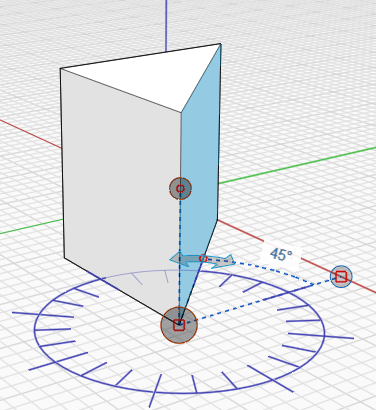
* Na panelu nástrojů **Odměřit** vyberte nástroj **Odměřit úhel** nebo použijte klávesovou zkratku **M A** a vyberte počáteční bod.
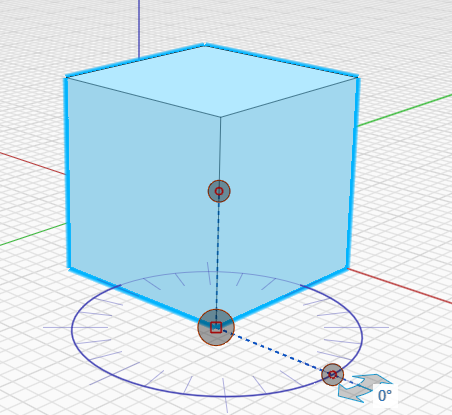 * Klikněte a přetáhněte úchop k počátečnímu vrcholu.
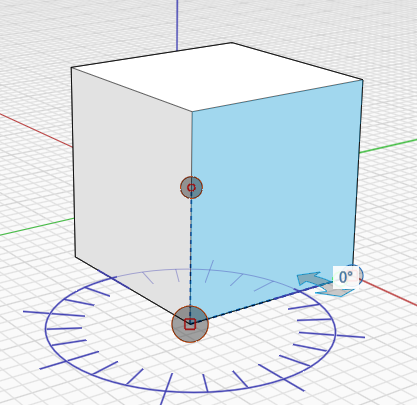 * Pomocí šipek změřte úhel mezi dvěma body.
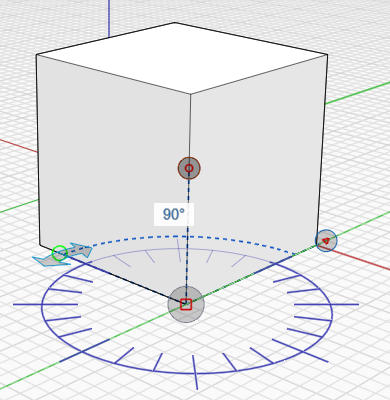 * Chcete-li změnit geometrii, klikněte na hranu nebo plochu a po kliknutí na zobrazený úhel zadejte novou hodnotu úhlu.
.png?alt=media) * Zobrazí se provedené změny nebo měření:
* Zobrazí se provedené změny nebo měření: