> For the complete documentation index, see [llms.txt](https://windows.help.formit.autodesk.com/llms.txt). Markdown versions of documentation pages are available by appending `.md` to page URLs; this page is available as [Markdown](https://windows.help.formit.autodesk.com/cs/tool-library/properties.md).
# Vlastnosti
**Paleta Vlastnosti** zobrazuje informace a data týkající se vybraného objektu v pracovní rovině aplikace FormIt.
Pomocí palety Vlastnosti můžete upravit skupinu objektu, přiřadit objekt k hladině a změnit materiál objektu.

## Úpravy na paletě Vlastnosti
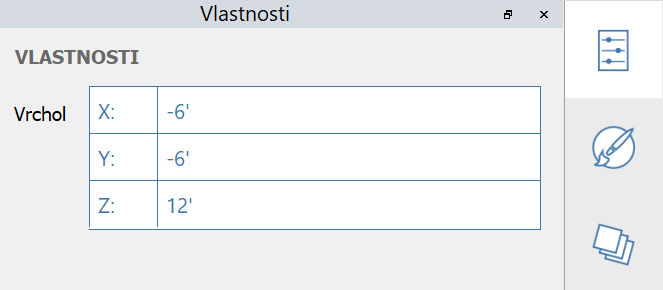
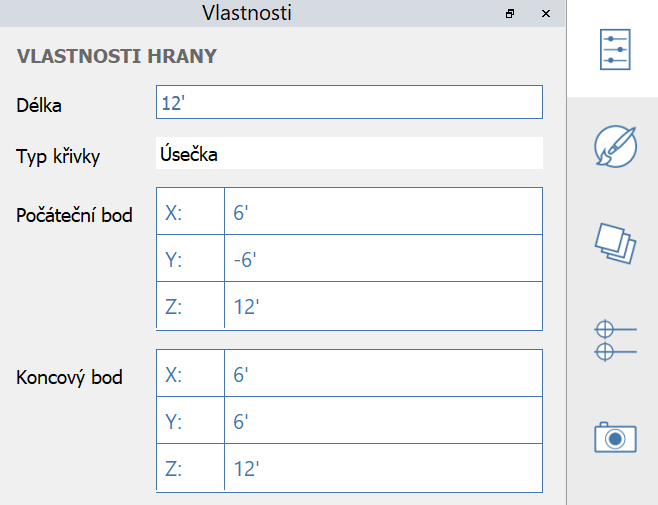
V aplikaci FormIt 2023 a novějších verzích lze vlastnosti vrcholu, hrany, plochy a objemu upravovat pomocí palety Vlastnosti:
#### Upravitelné vlastnosti vrcholu:
#### Upravitelné vlastnosti hrany:
#### Upravitelné vlastnosti plochy:
#### Upravitelné vlastnosti tělesa:
.png?alt=media)
.png?alt=media)