> For the complete documentation index, see [llms.txt](https://windows.help.formit.autodesk.com/llms.txt). Markdown versions of documentation pages are available by appending `.md` to page URLs; this page is available as [Markdown](https://windows.help.formit.autodesk.com/es/tool-library/place-primitive-object-1.md).
# Colocar un vértice
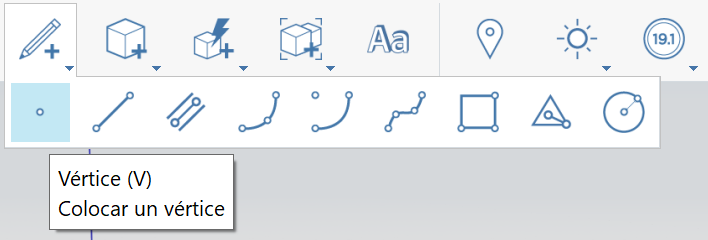
1. En la [barra de herramientas de acciones](https://github.com/FormIt3D/autodesk-formit-360-windows-help/tree/c377e7b8a3b8e43e684321d0b7de867608d317a3/tool-library/tool-bars-extended.md), haga clic para abrir el **botón Boceto** y [seleccione](/es/tool-library/select-edge-face-or-object.md) el vértice.
2. **Haga clic para colocar** el vértice.
3. Tenga en cuenta que puede colocar un vértice en un borde para dividirlo. De lo contrario, el vértice permanecerá visible como vértice independiente, si se coloca en una cara o un espacio.
1.

.png?alt=media)