> For the complete documentation index, see [llms.txt](https://windows.help.formit.autodesk.com/llms.txt). Markdown versions of documentation pages are available by appending `.md` to page URLs; this page is available as [Markdown](https://windows.help.formit.autodesk.com/it/tool-library/properties.md).
# Proprietà
Nella **tavolozza Proprietà** vengono visualizzate le informazioni e i dati relativi ad un oggetto selezionato nel piano di lavoro di FormIt.
Utilizzando la tavolozza Proprietà, è possibile modificare il gruppo di un oggetto, assegnare un oggetto ad un layer e modificare il materiale di un oggetto.

## Modifica dalla tavolozza Proprietà.
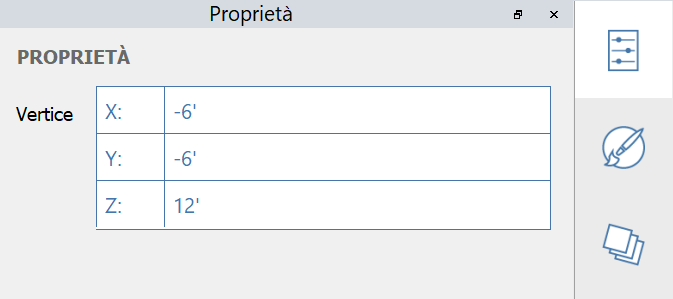
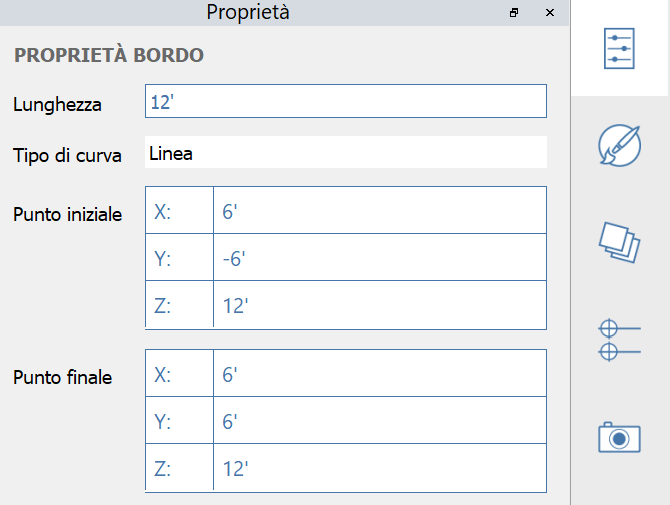
In FormIt 2023 e versioni successive, è possibile modificare le proprietà di un vertice, un bordo, una superficie e un volume mediante la tavolozza Proprietà:
#### Proprietà del vertice modificabili:
#### Proprietà del bordo modificabili:
#### Proprietà della superficie modificabili:
#### Proprietà del solido modificabili:
.png?alt=media)
.png?alt=media)