> For the complete documentation index, see [llms.txt](https://windows.help.formit.autodesk.com/llms.txt). Markdown versions of documentation pages are available by appending `.md` to page URLs; this page is available as [Markdown](https://windows.help.formit.autodesk.com/pt-br/tool-library/properties.md).
# Propriedades
A **paleta Propriedades** exibe informações e dados relevantes para um objeto selecionado no Plano de trabalho do FormIt.
Usando a paleta Propriedades, é possível editar o grupo de um objeto, atribuir um objeto a uma camada e alterar o material de um objeto.

## Editar na paleta Propriedades
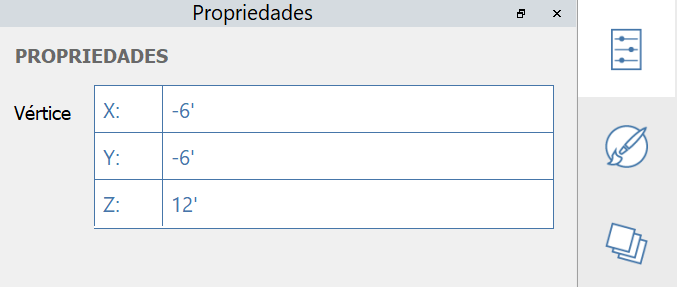
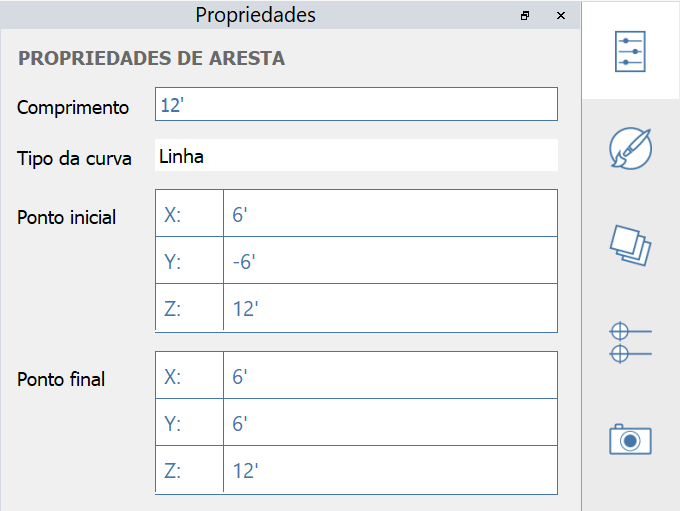
No FormIt 2023 e versões mais recentes, é possível modificar as propriedades de um vértice, de uma aresta, de uma face e de um volume usando a paleta Propriedades:
#### Propriedades de vértice editáveis:
#### Propriedades de aresta editáveis:
#### Propriedades de face editáveis:
#### Propriedades de sólido editáveis:
.png?alt=media)
.png?alt=media)