> For the complete documentation index, see [llms.txt](https://windows.help.formit.autodesk.com/llms.txt). Markdown versions of documentation pages are available by appending `.md` to page URLs; this page is available as [Markdown](https://windows.help.formit.autodesk.com/ru/tool-library/properties.md).
# Свойства
На **палитре свойств** отображаются сведения и данные, относящиеся к выбранному объекту в рабочей плоскости Formit.
С помощью палитры свойств можно редактировать группу объекта, назначать объект слою и изменять материал объекта.

## Операция редактирования из палитры свойств
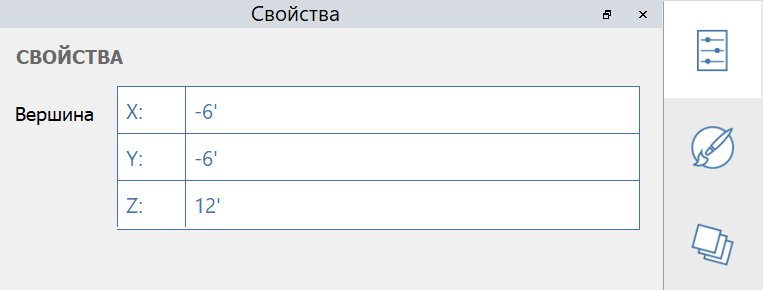
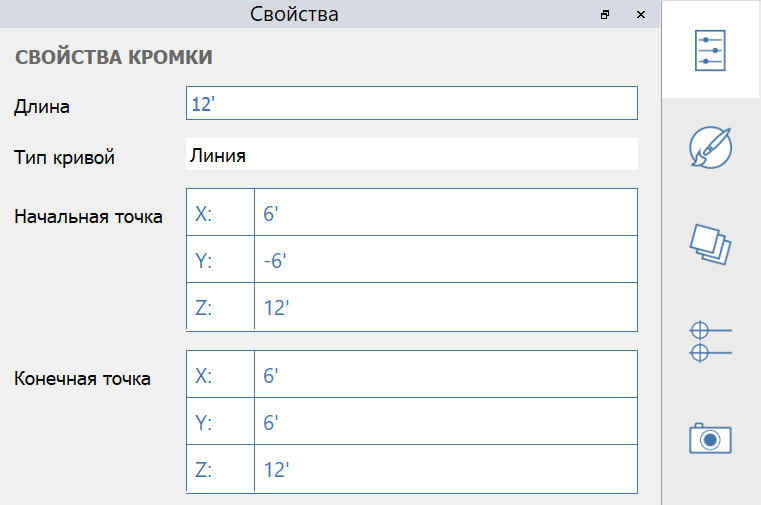
В FormIt 2023 или более поздней версии можно изменять свойства вершины, ребра, грани и объема с помощью палитры свойств.
#### Редактируемые свойства вершин:
#### Редактируемые свойства ребер:
#### Редактируемые свойства граней:
#### Редактируемые свойства тел:
.png?alt=media)
.png?alt=media)