# 性質

**性質選項板**顯示與 Formit 工作平面中所選物件相關的資訊和資料。

使用「性質」選項板，您可以編輯物件群組、將物件指定到圖層，以及變更物件的材料。

![](/files/YIehTIyYcUNR9de70lgm)

## 從「性質」選項板編輯

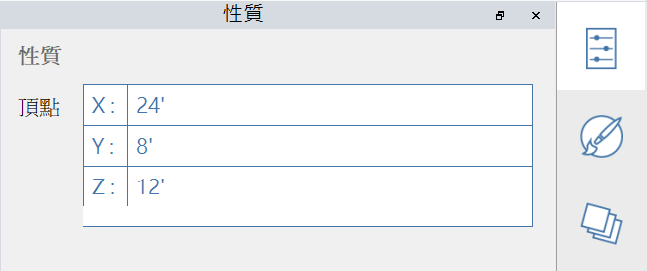
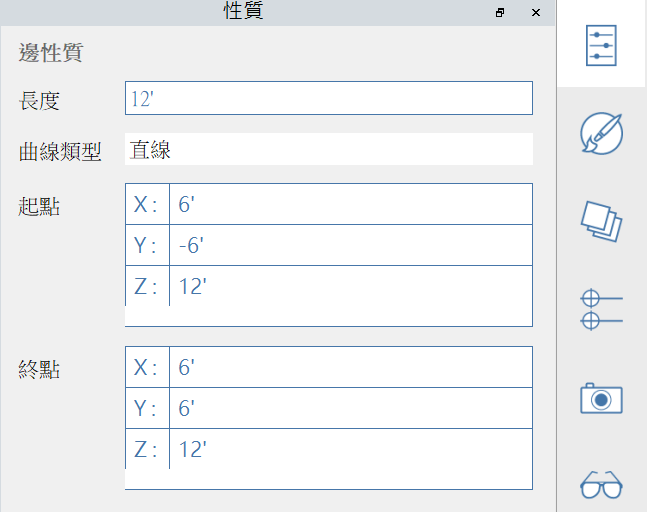
在 FormIt 2023 和更高版本中，您可以透過「性質」選項板修改頂點、邊、面和體積的性質：

#### 可編輯的頂點性質：

<figure><img src="/files/vrNd88mZwozJIkcOdWKu" alt=""><figcaption></figcaption></figure>

#### 可編輯的邊性質：

<figure><img src="/files/H7PD9JT9f6CrzjiNZba4" alt=""><figcaption></figcaption></figure>

#### 可編輯的面性質：

<figure><img src="/files/5YHRn6TdnJxb16TmUW8F" alt=""><figcaption></figcaption></figure>

#### 可編輯的實體性質：

<figure><img src="/files/3tVGSDIDF3Z2X4qjccaP" alt=""><figcaption></figcaption></figure>


---

# Agent Instructions: Querying This Documentation

If you need additional information that is not directly available in this page, you can query the documentation dynamically by asking a question.

Perform an HTTP GET request on the current page URL with the `ask` query parameter:

```
GET https://windows.help.formit.autodesk.com/zh-tw/tool-library/properties.md?ask=<question>
```

The question should be specific, self-contained, and written in natural language.
The response will contain a direct answer to the question and relevant excerpts and sources from the documentation.

Use this mechanism when the answer is not explicitly present in the current page, you need clarification or additional context, or you want to retrieve related documentation sections.